FREE DOWNLOAD · QR CODES FOR YOUR FUNDRAISER
One QR code per student, printed on a sheet by class period. Grandma scans it with her camera and gives in about a minute. No app, no student accounts, no cash envelopes. The flyer and poster are free; the per-student sheet prints itself.
Four pages: a kickoff-night print checklist, a flyer, a poster, and a sample per-student sheet.
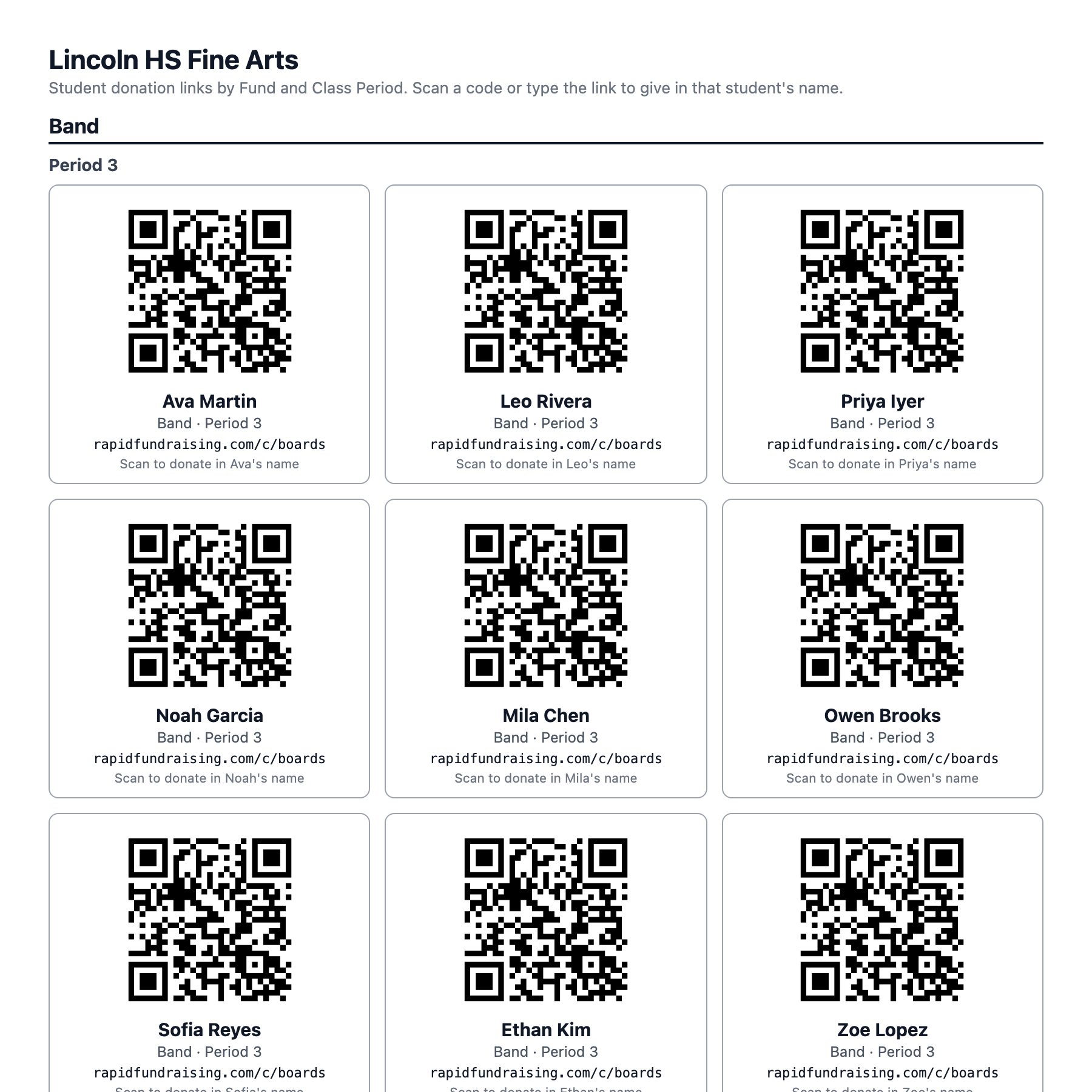
The per-student sheet as RapidFundraising prints it: one card per student, one section per fund, one sub-heading per class period. Names here are invented.
For your families
Upload the roster and every student has a link and a code. Print the sheet from Fundraiser Management, cut it into slips, or pin it up in the band hall. Students photograph their own square.
A student can also get their own code from the campaign page: find your name, tap This is me, and text the link with a note already written. No login, no account, ever.
The camera opens a donation page made out to that student. Card, Apple Pay or Google Pay, receipt in the inbox, the student's name on the leaderboard, and the money in the program's own account.
A single event code on a poster sends every donation to the general fund. Nobody gets credit, the leaderboard stays empty, and the director cannot tell which families were reached and which never saw the flyer.
One code per student credits the right student automatically, feeds the leaderboard and the per-student report, and gives each family something that is theirs to share.
On a Campaign Hub a student in two programs, Band and Choir, is one student with one code, listed under both, and the donation goes to the fund the family was looking at.
Families who would rather not be listed can be kept off the public page; their code still works for whoever the director hands it to.
Free download
What to print for kickoff night, how big a code has to be, and the two-phone test that catches a bad printout before the gym does.
One per family for the take-home folder. A box for your program's code and three steps a grandparent can follow.
For the band hall door, the concert lobby and the booster table, with the code sized to scan from across a table.
The per-student sheet exactly as the platform prints it, so a director can see what teachers will get before uploading a roster.
On RapidFundraising every student's code is made for you the moment the roster is uploaded, and the whole program prints as one sheet. If you use another platform, any free QR generator will turn a donation link into a code; make sure the link goes to a page that credits the right student.
At least 2 cm across, black on white, white space around them, plain paper, and words next to every code saying what it does. Test each printout with two phones. The free pack has a per-student sheet, a flyer and a poster laid out to those rules.
Yes. A QR code is a link drawn as a picture. RapidFundraising includes one for every student at no charge, and the pack on this page is free. Avoid services that charge monthly for "dynamic" codes; a plain code that points at a permanent link never expires.
No. On an Express campaign a student opens the campaign page, taps "Student? Get your link", finds their name and taps "This is me". Their link and code appear and can be texted, shared or saved. The director can also print every student's code on one sheet.
One event code sends every donation to the general fund: no student gets credit, the leaderboard stays empty, and the director cannot see which families were reached. One code per student credits the right student automatically and feeds the leaderboard and per-student reports.
Free to start. No contracts to sign. Upload a roster and the codes are ready.